How to Post Original Photos Safely: Don't Let Your Pictures Leak Your Home Address (Tool Included)
69
February 25, 2026
Daniel LuFull-Stack Engineer | Content Creator
That cute cat photo you posted might carry the exact GPS coordinates of your living room. Understand EXIF privacy leaks and how to scrub photo metadata locally with a browser-based "scalpel."
Categories:Popular Science、Tool Guides
You take a picture of your cat sleeping cutely and casually hit "send original image" to share it on social media.
To you, it’s just a loving slice of daily life.
But to a trained eye, that photo is screaming your exact location: "This cat lives at Latitude 39.9N, Longitude 116.3E, taken yesterday at 3:15 PM, shot on an iPhone 15 Pro, facing southeast."

Click to enlarge
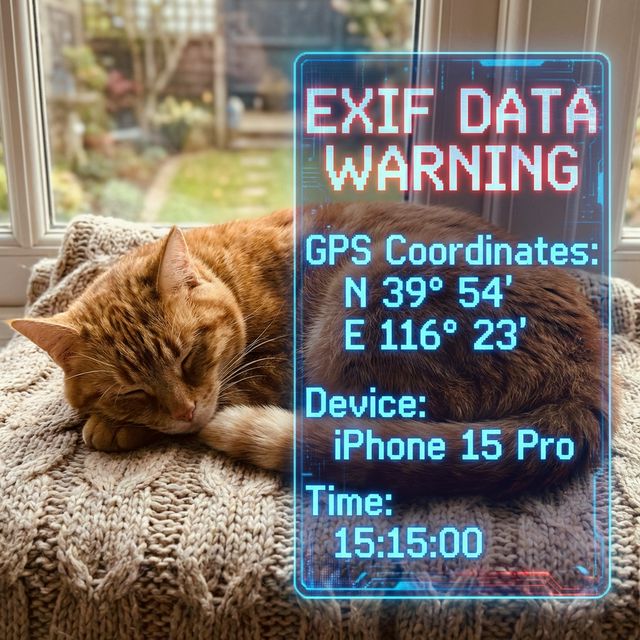
The culprit behind all this is something called EXIF (Exchangeable Image File Format).
The "Invisible DNA" of Photos
From the moment your phone or camera explicitly clicks the shutter, it records much more than just light and color.
The device writes a detailed "birth certificate" directly into the underlying file. This certificate includes the camera model, exposure settings, and even GPS satellite positioning accurate to within a few meters.
For professional photographers, this data is a valuable archive to exchange technical parameters. But for ordinary people selling used items or sharing daily life online, it's equivalent to "streaking" across the internet.
While major platforms like Instagram or Twitter automatically strip some EXIF data when compressing images, if you send the "original image" via file transfer or upload it to forums that preserve raw files, your entire hand is exposed.
Taking Back the Control of Your Privacy
Upon realizing this, many people search online for an "EXIF removal tool."
But here lies a massive paradox: to prevent photo privacy leaks, you take the photo containing your home's GPS coordinates and upload it to a third-party compression website you've never heard of.
That’s not protecting privacy; that’s home delivery for hackers.
In the digital age, true security comes from physical isolation.
This is exactly why we need an image processing tool that runs locally in your browser—one that works even if you unplug the ethernet cable.
🔗 Launch Image Lab
100% local processing. Scrub sensitive data in one second without ever uploading to a server.
→
Open Image Lab, drag and drop the photo you want to share, and click "Scrub Metadata". A flawlessly clean replica, stripped of all hidden information, will instantly generate on your computer.
The entire process takes less than a second, and not a single pixel ever leaves your device.
Technology shouldn't serve as a backdoor to monitor us.
Before sharing your life, remember to use this digital "scalpel" to cut the invisible strings of those attempting to spy on your privacy.
This article is an original piece by the iknowabit team. Using a geeky perspective to decode the science behind everyday life.